Pages

Sunday, May 31, 2009

ASP.NET File Uploader with Overwrite Message

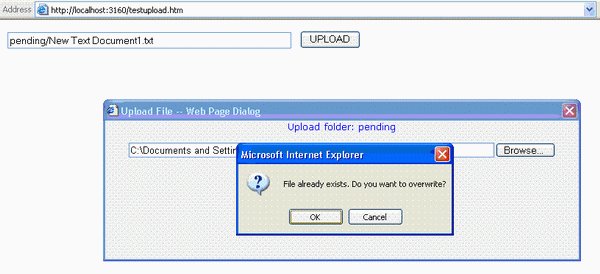
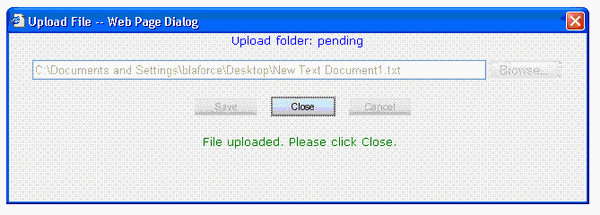
This ASP.NET application is a file uploader dialog box that can be called from classic ASP. It is designed for use in an intranet site. The file uploader displays an overwrite warning as a popup or a warning message. The overwritten file is archived with a time stamp appended to the filename. Checking if the file already exists turned out to be the biggest obstacle. The FileExists Java function uses an ActiveX control that causes browser security warnings. The workaround was to access a code-behind routine by calling AJAX Web Services.


Click here for details .....

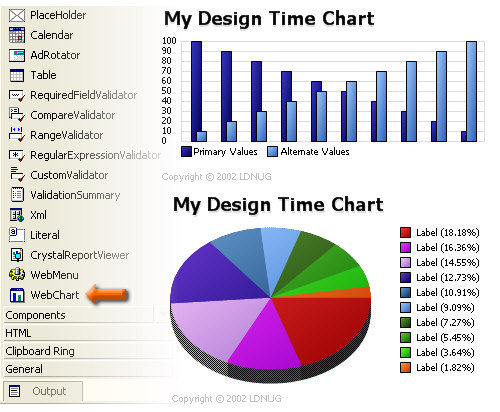
Roll your own ASP.NET Chart Control

Have you ever wanted to build a custom web control, but lost confidence once you started to navigate the MSDN information ocean? Ever wanted to build a web control only to find out that you don't know where to start and worse yet there are no comprehensive examples available on the internet? If you have faced any or all of these situations, sit back and relax! Throughout this article I will detail the major "gotchas" relating to building a custom web control and deploy it to your web application.


Click here for details ......

Friday, May 29, 2009

Navigation Web User Control

Navigation Web User Control Derived from WebControl (dll). It creates navigations buttons at run time so the user can navigate on the data list or any other controls. The developer can change the alignment and separation text between links or show and hide first, last, previous and next links. This control gets his style from its container the developer just need PageIndexClick event to type his code when the page clicked and set paging count in page load.

Click here for details .....

Thursday, May 28, 2009

Implementing Tab Navigation with ASP.NET 2.0

One of the most basic ways to navigate within an application is by use of a tab control. Tabs are easy to use and users are very familiar with them. There have been many implementations of tab controls for Web applications, but they had often required advanced client-side script that was only supported in a few browsers, or they required extensive and confusing server-side include files. ASP.NET 2.0 provides a few things that make this easier to do with no dependency on functional code. In this article I'll show you how you can use the new features of ASP.NET 2.0 to easily create a tab control for your Web application.

Click here for details .....

Google Maps! AJAX-Style Web Development Using ASP.NET

There are three goals in this article. First, to provide a high-level overview of AJAX-style applications. Second goal is to provide a detailed description of asynchronous callback features of ASP.NET 2.0. Finally, to provide an insight into upcoming enhancements of tools and frameworks for building AJAX-style applications.

Click here for details ......

Wednesday, May 27, 2009

Simple ASP.NET 2.0 Tips and Tricks that You May (or may not) have Heard About

ASP.NET 2.0 is an awesome framework for developing Web applications. If you've worked with it for awhile then that's no secret. It offers some great new features that you can implement with a minimal amount of code. I wanted to start a list of some of the most simple (yet cool) things you could do with it that required little or no C#/VB.NET code. If you have other suggestions add a comment and I'll update the list if the suggestion is a simple task that can be applied easily.

Click here for details ......

Tip/Trick: Url Rewriting with ASP.NET

People often ask for guidance on how they can dynamically "re-write" URLs and/or have the ability to publish cleaner URL end-points within their ASP.NET web applications.

This post post summarizes a few approaches you can take to cleanly map or rewrite URLs with ASP.NET, and have the option to structure the URLs of your application however you want.

Click here for details ......

.Net Framework 4.0: System.Linq.Parallel

.Net Framework 4.0 has parallel computing extensions for LINQ. Previously it was possible to download parallel extensions for LINQ separately from CodePlex. Of course, you can still use these extensions if you have older version that 4.0. I wrote a little, simple and pretty pointless example that illustrates how parallel queries work in .Net Framework 4.0.

Click here for details ......

Thursday, May 21, 2009

CSS Control Adapter Toolkit for ASP.NET 2.0

Tired of having elements rendered by the built-in ASP.NET server controls and wishing you could use a pure CSS solution instead? Read on...

Today we published the CSS Control Adapter Toolkit for ASP.NET. This toolkit provides information about how the ASP.NET 2.0 Control Adapter Architecture works, as well as a set of 5 sample control adapters (with full source that you can optionally tweak/modify) that provide CSS friendly adapters for 5 of the built-in ASP.NET controls (specifically: Menu, TreeView, DetailsView, FormView and DataList).

You can download this release for free from here, and immediately begin using it in your ASP.NET 2.0 sites today.

Click here for details .......

What is a Model View Controller (MVC) Framework?

MVC is a framework methodology that divides an application's implementation into three component roles: models, views, and controllers.

  • "Models" in a MVC based application are the components of the application that are responsible for maintaining state. Often this state is persisted inside a database (for example: we might have a Product class that is used to represent order data from the Products table inside SQL).
  • "Views" in a MVC based application are the components responsible for displaying the application's user interface. Typically this UI is created off of the model data (for example: we might create an Product "Edit" view that surfaces textboxes, dropdowns and checkboxes based on the current state of a Product object).
  • "Controllers" in a MVC based application are the components responsible for handling end user interaction, manipulating the model, and ultimately choosing a view to render to display UI. In a MVC application the view is only about displaying information - it is the controller that handles and responds to user input and interaction.

Click here for details ......